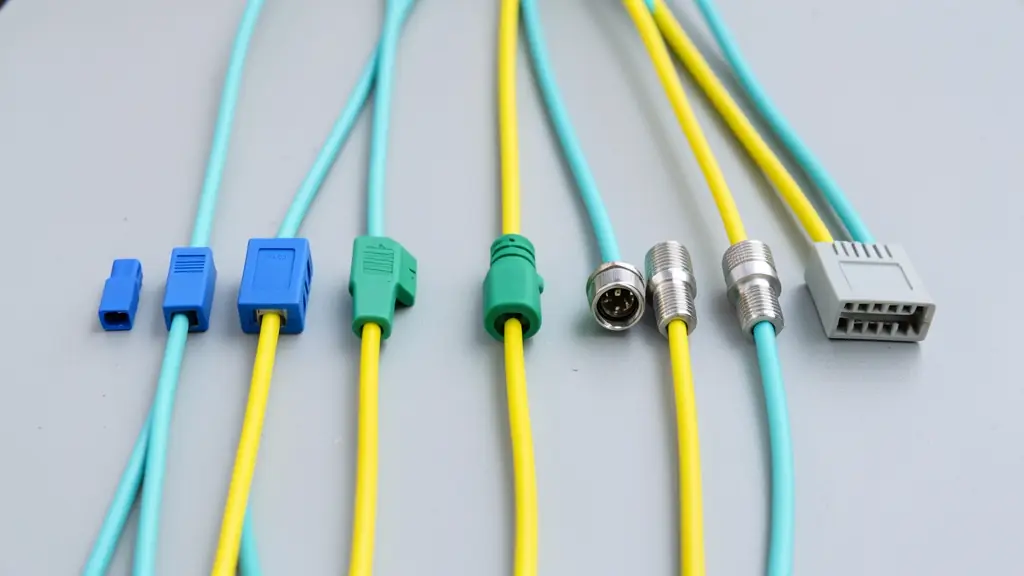
Most fibre connectors in use today are LC, SC, ST, FC or MPO, each with a single-mode or multimode version and, for single-mode, a UPC or APC polish. The connector has to match the port, the polish has to match the polish, and the fibre in the cord has to match the cable. The finder names the cord to ask for.
The connector types
| Type | Ferrule | How it fits | Where you find it |
|---|---|---|---|
| LC | 1.25 mm | Push and click latch, small square body, usually in duplex pairs | SFP and SFP+ optics, switches, patch panels and most new installations |
| SC | 2.5 mm | Push-pull square body, larger than LC | FTTH wall boxes and ONTs (often green SC/APC), older panels and media converters |
| ST | 2.5 mm | Round metal bayonet, push and twist | Older multimode networks, campuses and industrial kit |
| FC | 2.5 mm | Round metal body that screws on | Test equipment and older single-mode, where vibration could loosen a plug |
| MPO | Flat, 8 to 24 fibres | Wide push-pull connector, pinned (male) or unpinned (female) | Data centre trunks, cassettes and 40G and 100G parallel optics |
See fibre optic connectors and fibre patch cords and pigtails to get quotes.
UPC and APC: never mix them
A UPC connector has a domed end face polished flat to the fibre, with a return loss of at least 50 dB; its body is blue on single-mode and beige or aqua on multimode. An APC connector is polished at 8 degrees so reflections bounce into the cladding, giving a return loss of 60 dB or better; its body is always green. APC is used on FTTH networks, video and long single-mode links where reflections matter.
Mating an APC plug with a UPC plug leaves an air gap at an angle: the loss is several dB and both end faces can be damaged. A hybrid cord with APC on one end and UPC on the other is fine, as long as each end goes into its matching port.
Loss, cleaning and inspection
The TIA cabling standard allows 0.75 dB per mated connector pair; clean factory terminated connectors usually measure 0.3 dB or less. Dirt is the first cause of loss and damage, so clean and inspect every connector before it is plugged in, and fit the dust cap whenever it is out. Work out the loss of a whole link with the loss budget calculator and check how far your optics reach with the fibre distance chart.
A guide, not a design
These figures follow the published standards and common design values, and the calculators work in your browser. They are a guide for planning and checking quotes. The datasheets for your cable and optics, and the network designer or contractor, have the final word. Nothing you type here is sent anywhere.